Hybrid Identity Infrastructure Lab
I designed and deployed a hybrid identity environment integrating Active Directory, Microsoft Entra ID, Entra Connect synchronization, hybrid device join, and LDAP-based authentication into a centralized ITSM platform. The environment spans both Microsoft Azure and my segmented homelab infrastructure, with secure connectivity provided through a private Tailscale overlay network instead of exposing identity services directly to the internet.
The project focused on understanding how enterprise identity systems interact across cloud and on-premises environments, how authentication and synchronization workflows function internally, and how to troubleshoot real-world identity, DNS, registration, and synchronization failures.
Environment
Architecture Overview
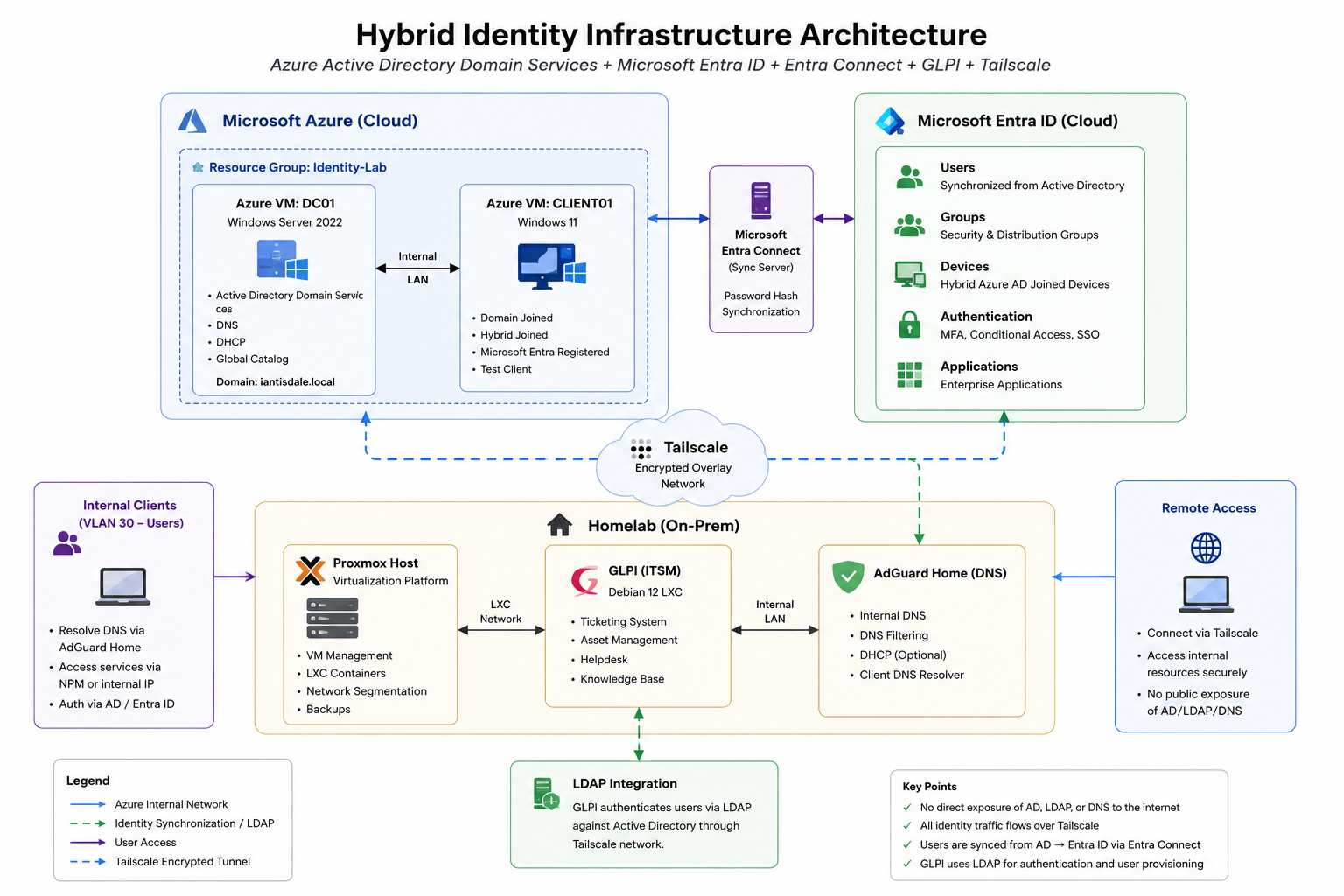
The environment combined cloud-hosted Active Directory infrastructure with locally hosted services that depended on centralized identity authentication. Identity objects flowed from Active Directory into Microsoft Entra ID through Entra Connect synchronization, while GLPI consumed those same identities through LDAP authentication.
Tailscale was used as a secure overlay network to connect the Azure environment back to the homelab without exposing internal authentication protocols publicly.
Problem
Modern enterprise environments rarely operate entirely on-premises or entirely in the cloud. Organizations commonly maintain traditional Active Directory environments while extending authentication, device management, and identity services into cloud platforms such as Microsoft Entra ID.
I built this environment to better understand hybrid identity architecture, centralized authentication workflows, enterprise provisioning, and how identity systems interact across Windows, Linux, cloud, and internal infrastructure.
Why This Matters
- Hybrid identity environments are common in modern enterprise infrastructure.
- Identity systems become critical failure points when synchronization or authentication breaks.
- Understanding LDAP, Entra Connect, and hybrid join workflows improves troubleshooting ability.
- Centralized identity affects authentication, RBAC, MFA, ticketing systems, and operational security.
- Least privilege and proper service account design are essential in enterprise authentication environments.
Approach
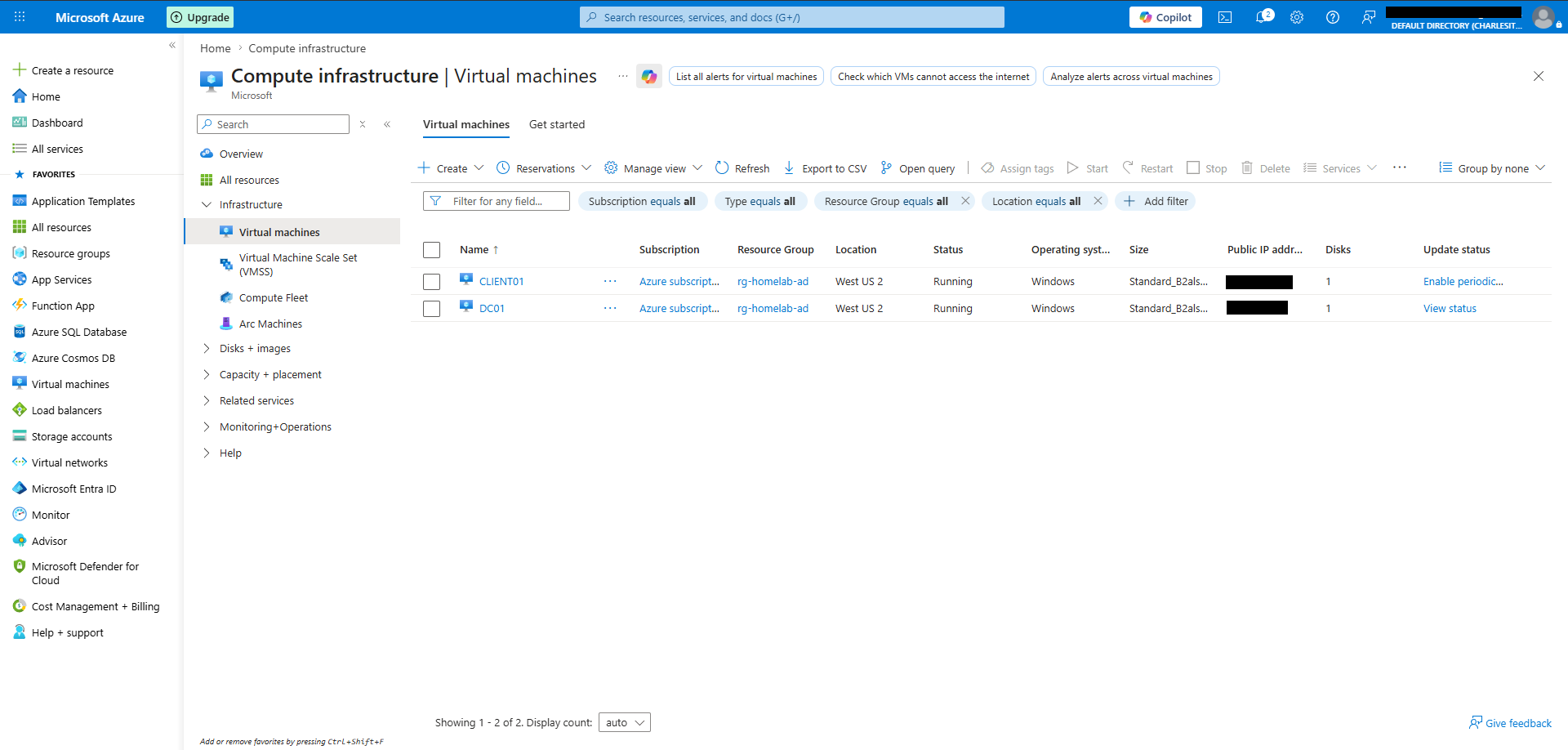
I first established the Active Directory environment inside Microsoft Azure using separate Windows virtual machines for the domain controller and client workstation. Once the domain infrastructure was operational, I configured Microsoft Entra ID integration and hybrid device synchronization through Entra Connect.
GLPI was then deployed locally inside a Debian 12 LXC container within my homelab environment. To securely connect the Azure-hosted infrastructure back to the homelab without exposing authentication services publicly, I implemented a private Tailscale overlay network between both environments.
One of the largest challenges involved hybrid synchronization and identity configuration. Because the internal
Active Directory environment used a non-routable .local domain, Microsoft Entra integration
required configuring a public UPN suffix tied to a domain I owned.
Implementation
- Created departmental Organizational Units and security groups inside Active Directory.
- Configured Microsoft Entra Connect for password hash synchronization and hybrid device join.
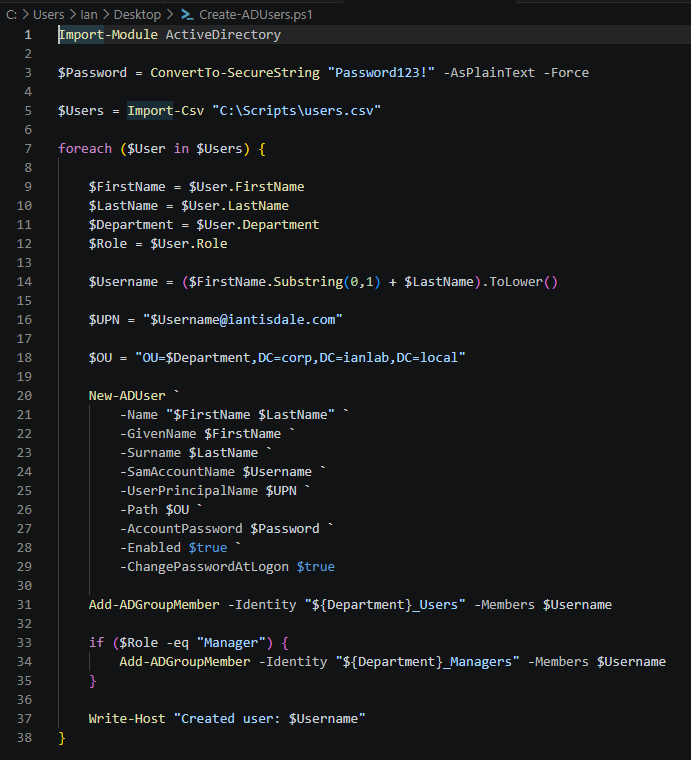
- Implemented automated user provisioning workflows using PowerShell and CSV imports.
- Configured hybrid identity synchronization between Active Directory and Microsoft Entra ID.
- Integrated GLPI with Active Directory using LDAP authentication and a least-privilege service account.
- Used Tailscale overlay networking to securely connect Azure-hosted infrastructure with homelab services.
- Validated successful hybrid device registration using
dsregcmd /status.

Automation
User onboarding was automated using PowerShell and CSV-driven provisioning workflows. The script dynamically generated usernames, assigned Organizational Units, configured UPNs, enabled accounts, and applied department-based group memberships automatically.
This helped simulate enterprise onboarding workflows while reducing manual administrative overhead and ensuring consistent identity configuration across the environment.
GLPI LDAP Integration
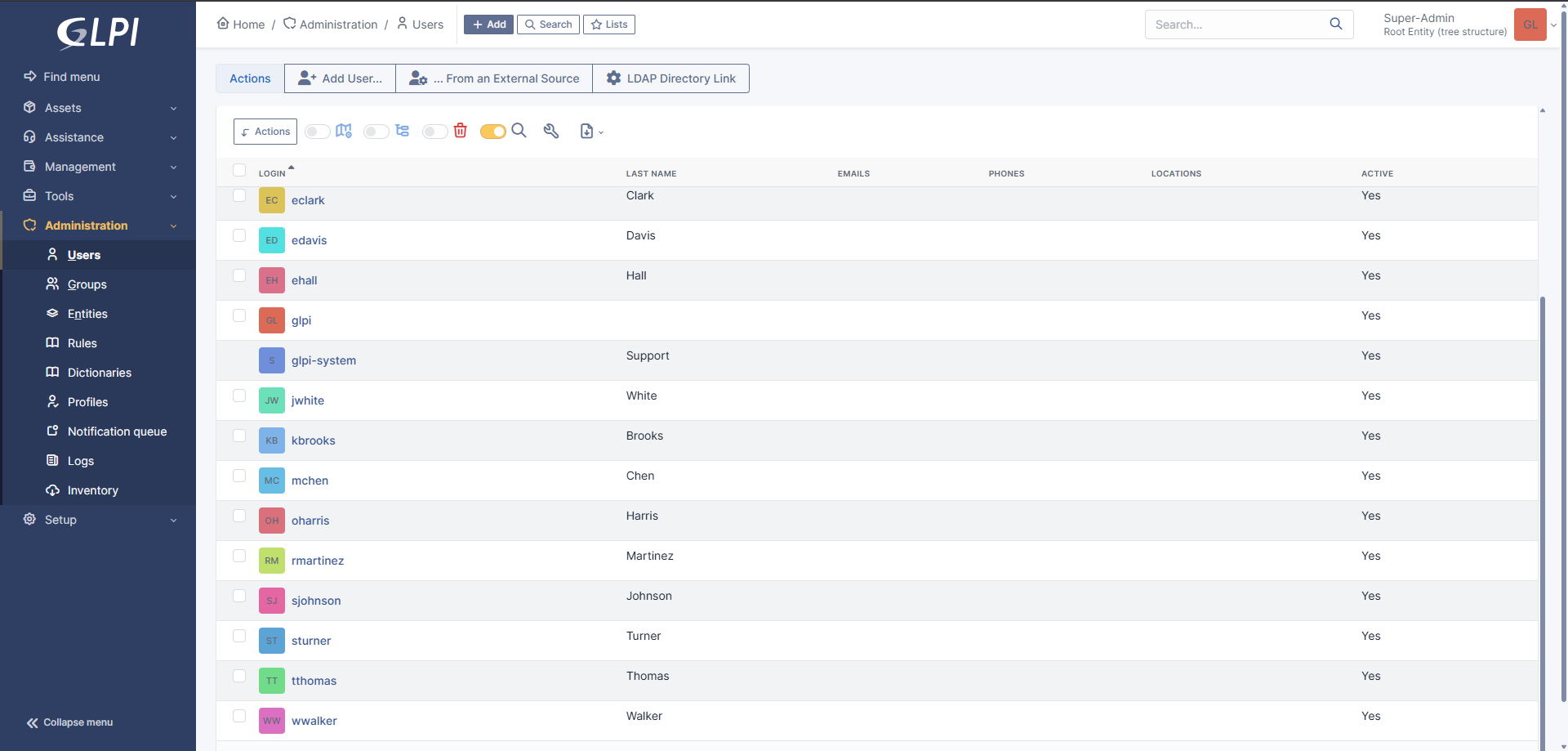
GLPI was configured to authenticate users against Active Directory using LDAP. This allowed users created in AD to authenticate into the ticketing platform without maintaining separate local GLPI identities.
This reinforced the difference between identity sources, synchronization layers, and identity-consuming applications.
Validation
- Initial LDAP and authentication testing failed because the homelab environment was using public DNS servers that could not resolve internal Active Directory zones. After identifying the DNS dependency, I used Tailscale connectivity and internal resolution paths to allow GLPI to reach the Azure-hosted domain controller.
- After synchronization began working, I discovered that my provisioning script required users to reset their password at first login. This caused GLPI login issues until the users completed the initial password reset.
-
Verified successful hybrid device registration using
dsregcmd /status, confirming the Azure AD join state, domain join state, and device authentication status.
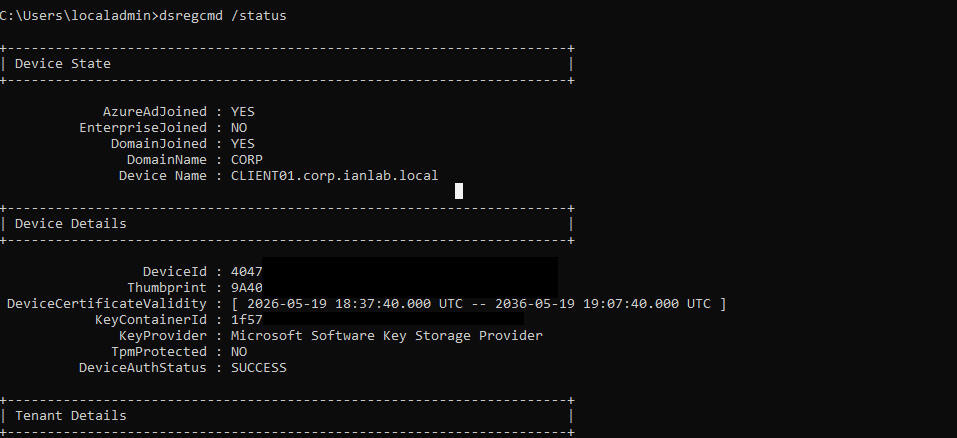
dsregcmd /status to confirm domain join, Azure AD join,
and device authentication status.
Outcome
The final environment demonstrated how enterprise identity systems, cloud authentication, Linux services, synchronization layers, and secure networking workflows interact across hybrid infrastructure.
Rather than following a fixed deployment guide, the project required diagnosing synchronization failures, DNS dependencies, LDAP authentication issues, and hybrid registration problems across multiple platforms.
Key Lesson
One of the biggest lessons from this project was realizing how dependent enterprise environments become on centralized identity systems. When synchronization, DNS resolution, device registration, or authentication workflows fail, the impact can spread across multiple services simultaneously.
The project also reinforced the importance of least privilege design, proper service account usage, internal DNS architecture, and structured troubleshooting methodologies.
What I'd Improve Next
- Expand Group Policy deployment and centralized workstation management.
- Further automate onboarding and identity lifecycle workflows.
- Integrate SIEM tooling for authentication and identity monitoring.
- Connect homelab monitoring systems into GLPI for automated ticket generation and alerting workflows.
- Implement additional RBAC mappings between Active Directory groups and GLPI technician roles.